








Maximise workspace efficiency with the enhanced ‘policy check’ panel
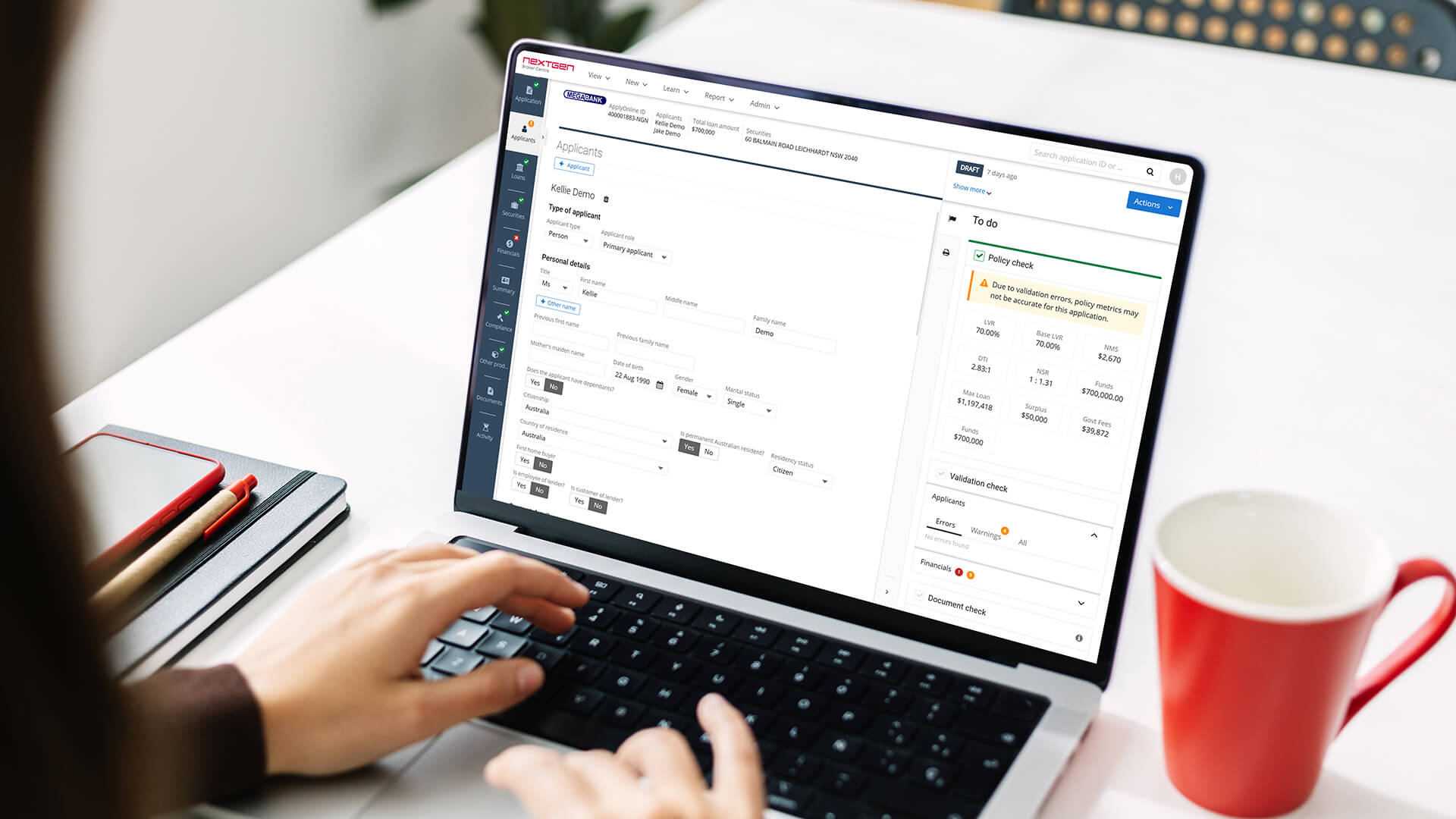
Did you know you can customise your view and navigate policy metrics more intuitively within the right-hand panel?
The enhanced ‘policy check’ metrics panel is designed to deliver greater visual clarity and smoother navigation, making policy issues easier to identify and resolve. These improvements give you more control over your workspace while ensuring key data is just a click away.
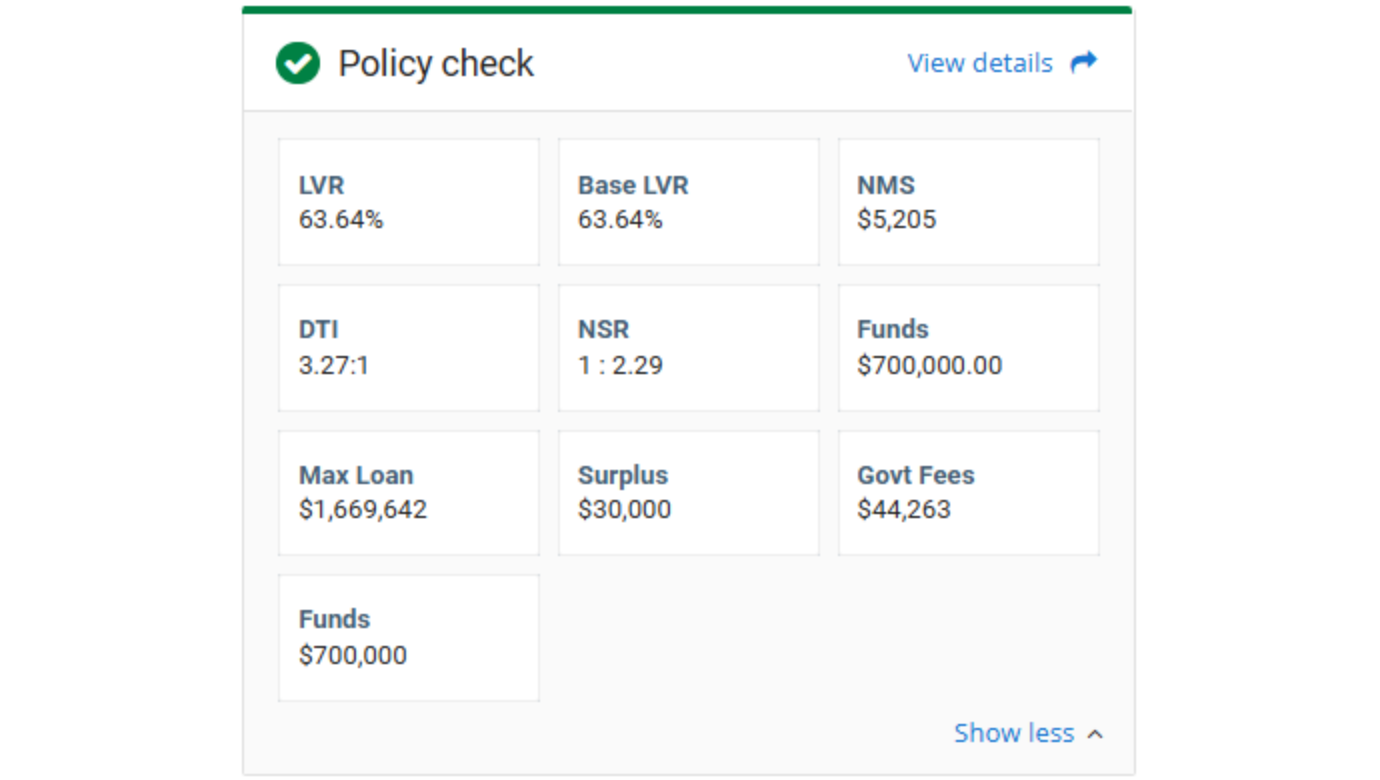
Optimised visuals for faster identification
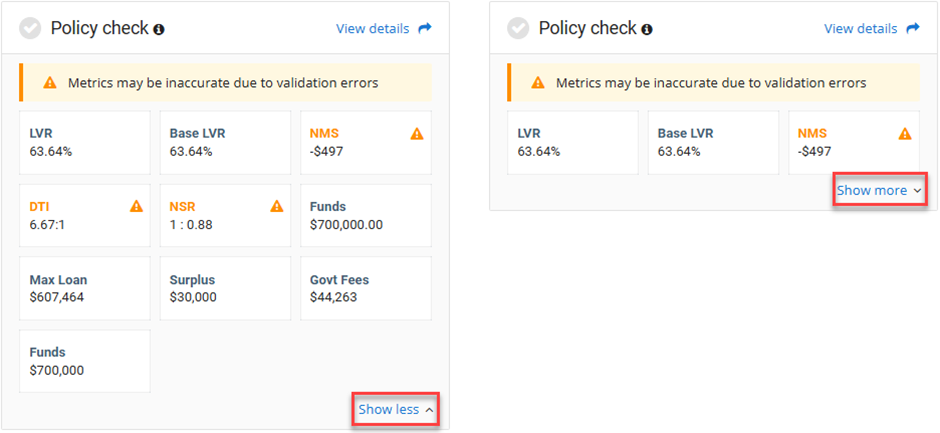
Metric cells now feature an AA-accessible colour scheme and an optimised layout. The high-contrast design clearly distinguishes warnings and errors, helping you quickly identify potential policy issues.
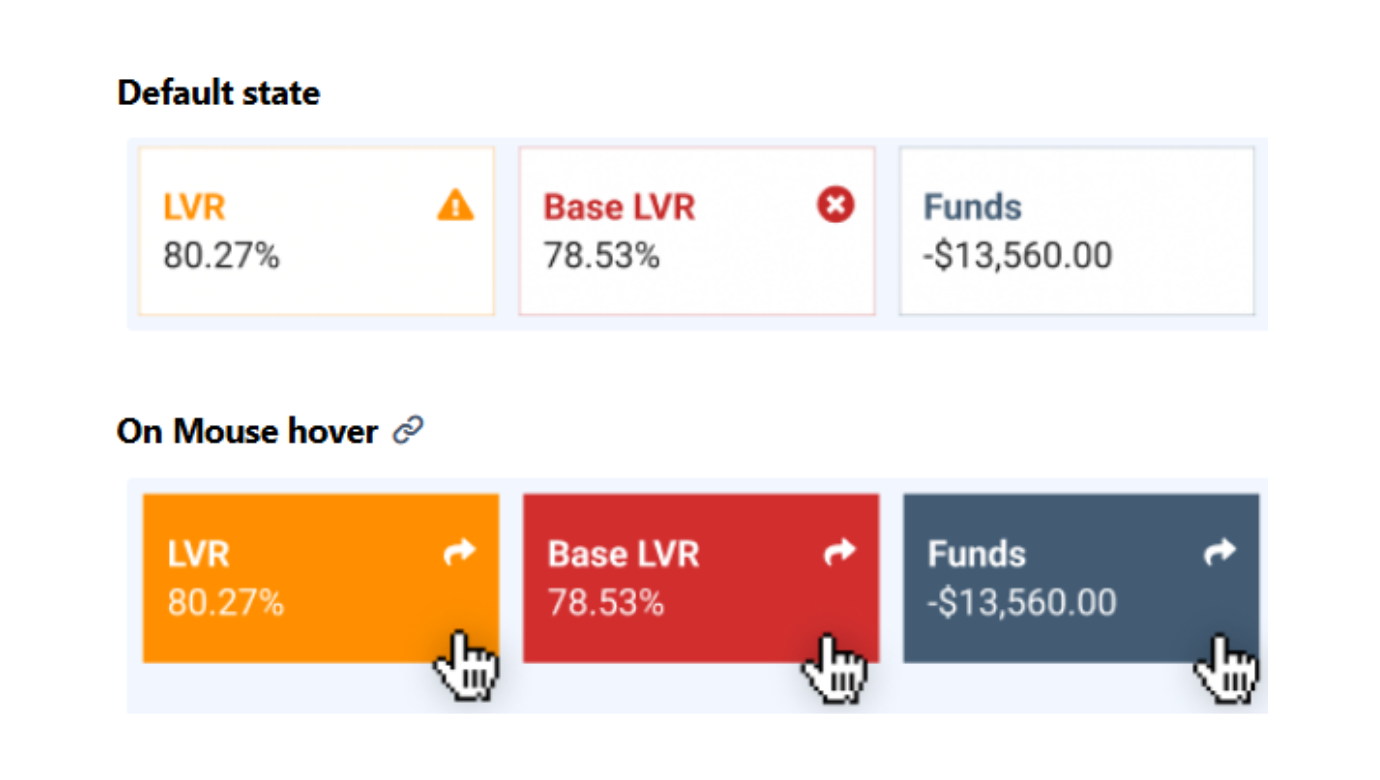
Intuitive navigation to calculations
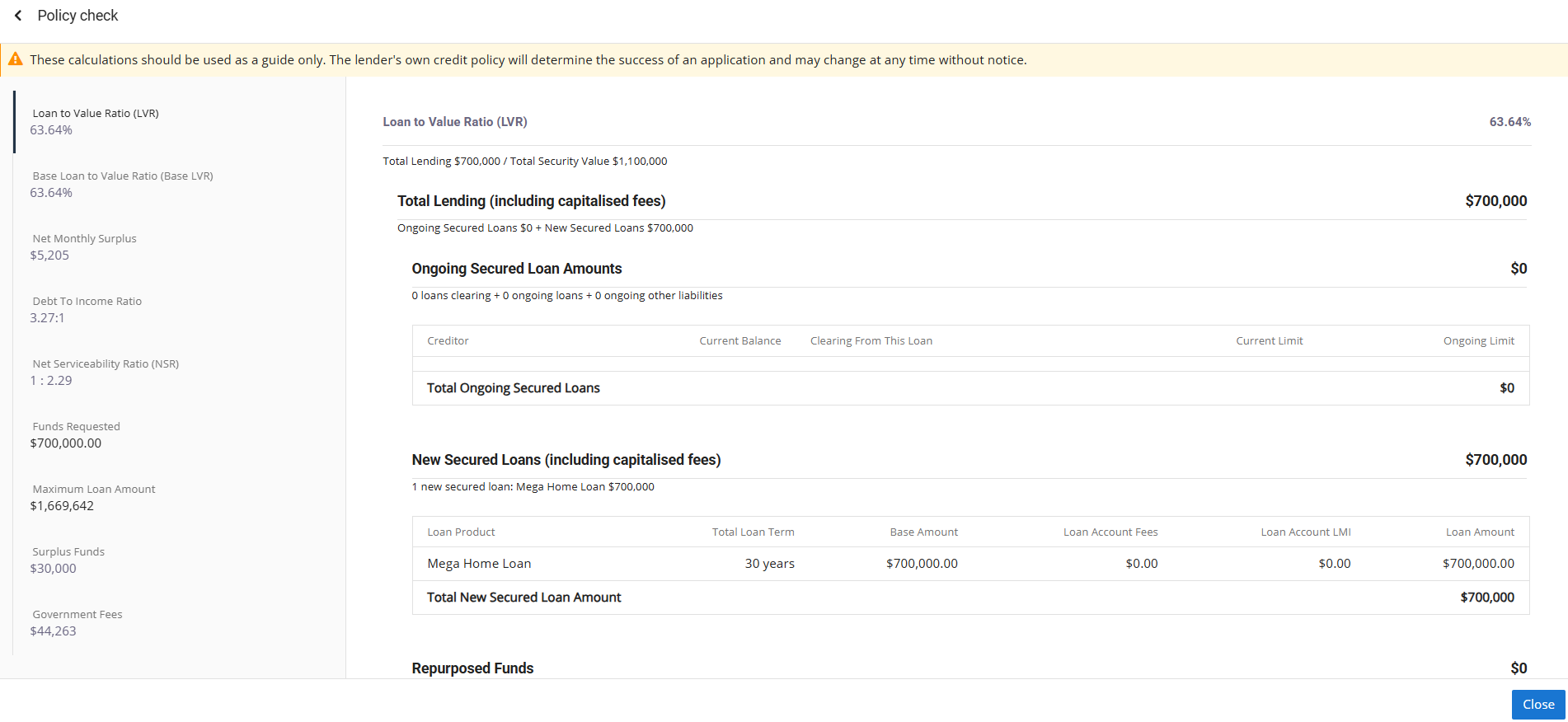
Accessing metric breakdowns is now more seamless, with two easy ways to drill into calculations:
- Interactive metric cells: Click anywhere within a metric cell to view its breakdown. A ‘go-to’ icon appears on hover to guide you.
- ‘View details’ link: A new link at the top-right of the panel provides consistent access to the full list of metric calculations.
Flexible workspace with collapsible views
To reduce scrolling and help you focus on your task, the metrics panel now supports flexible viewing:
- Show more / Show less: Use these toggles to expand or minimise the metrics section as needed.
- Improved validation workflow: Collapsing the metrics panel creates additional vertical space to interact with the Validation Check panel located below it, making it easier to manage complex applications.
Overall, the enhanced ‘policy check’ panel delivers a cleaner, more accessible experience, reducing cognitive load and enabling faster, more precise resolution of policy issues.
To find out more about ApplyOnline® policy metrics tool, please contact our Customer Success team or register for our free CPD-accredited webinars.
Latest articles




XS
SM
MD
LG
XL
XXL.