







Unlock a complete household view with consolidated Open Banking data
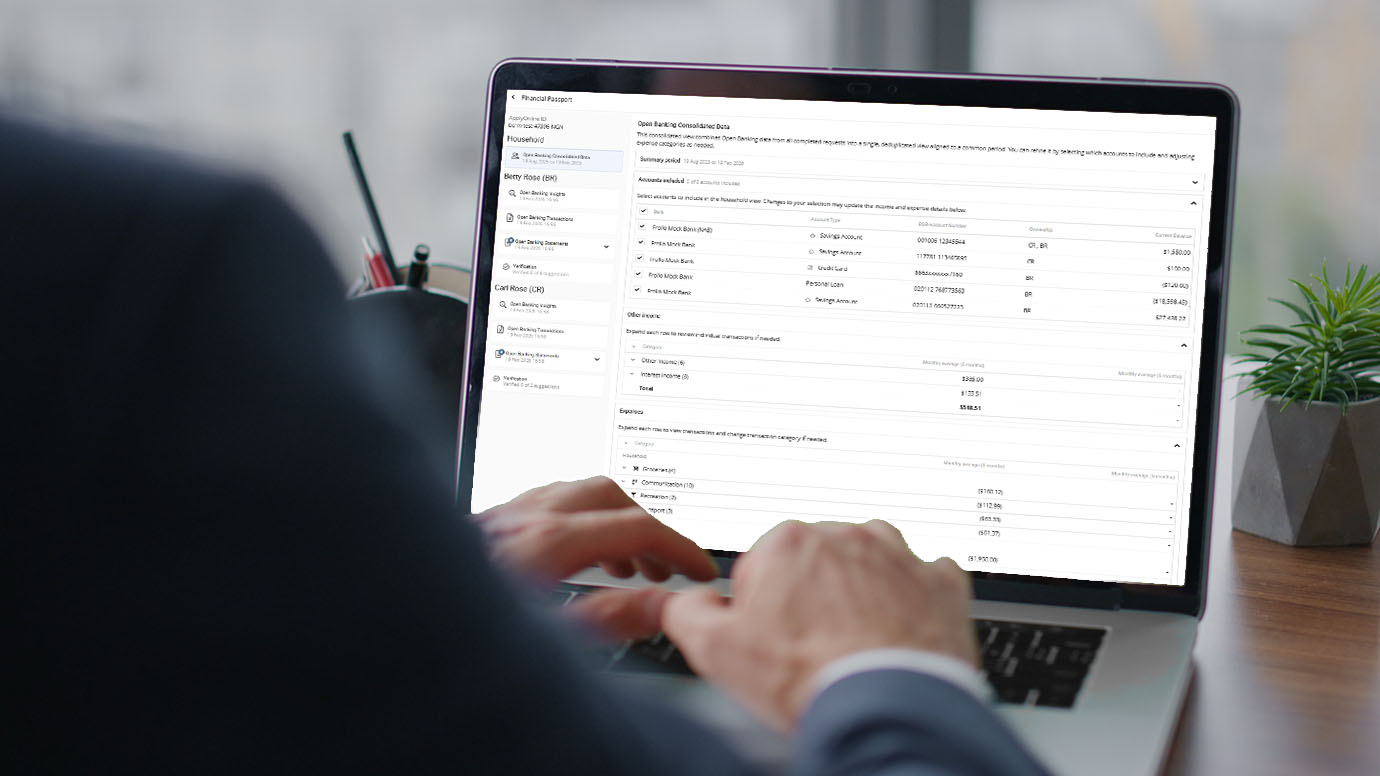
Did you know you can now see a joined view of Open Banking data for all applicants on a loan application?
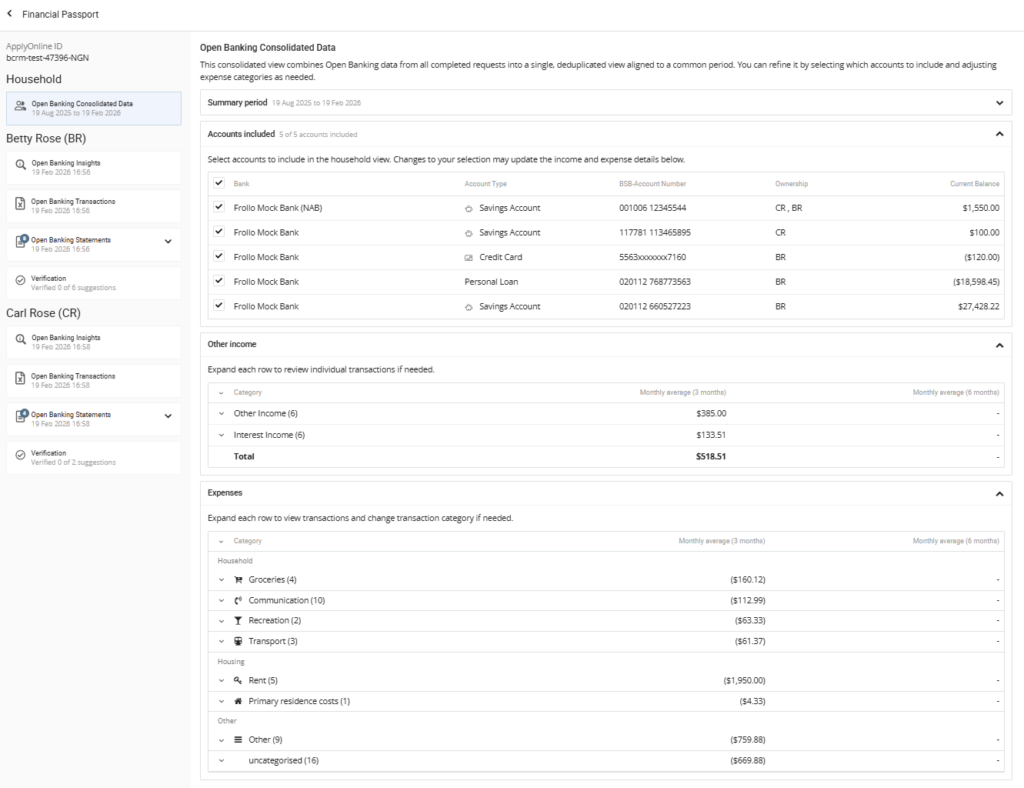
The Open Banking Consolidated Data feature combines data from each applicant’s linked bank accounts into a single view, removing duplicate accounts and transactions, and calculates average household non-employment income and expenses using a consistent transaction period.
From this screen, you can view the combined Other Income (non-employment) and Expenses calculated from all applicants’ Open Banking data.
Figures are calculated using a common summary period, ensuring the data is aligned across all applicants.
Monthly averages are displayed to support fact-finding and verification.
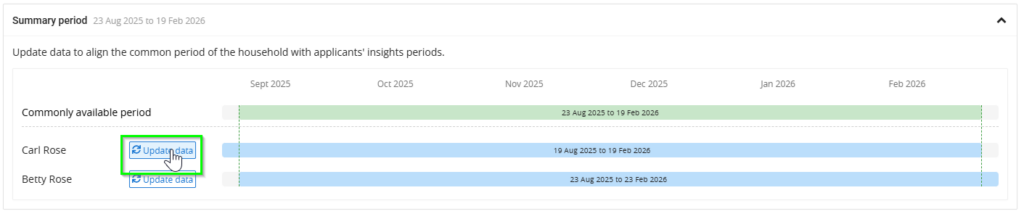
The Summary Period shows the Open Banking transaction period available for each applicant.
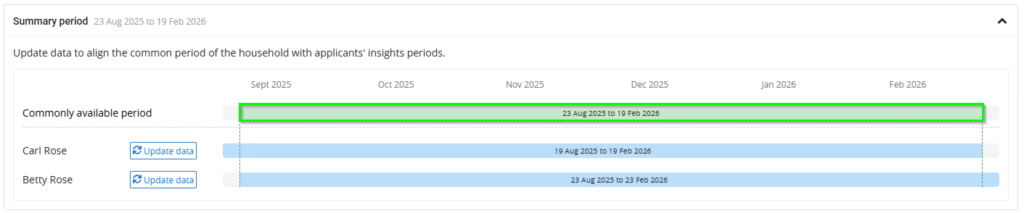
The consolidated Other Income and Expenses are calculated using the overlapping transaction period available across all applicants.
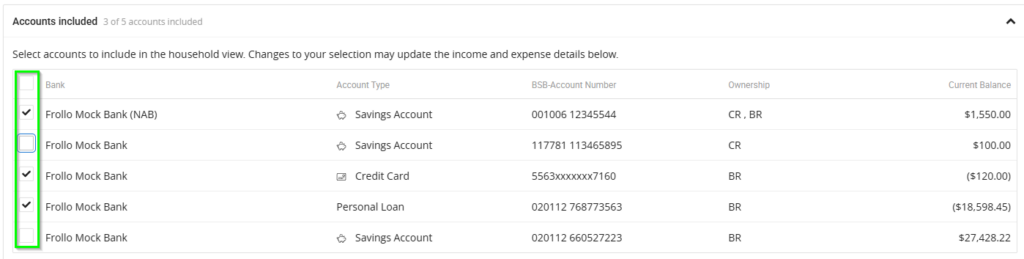
In the Accounts Included section, you can control which linked bank accounts are used in the consolidated view.
By default, all accounts are included.
You can deselect accounts that should not be considered — for example, business accounts or inactive accounts.
When an account is selected or deselected:
- Consolidated Other Income and Expense figures update immediately
- Monthly averages are recalculated in real time
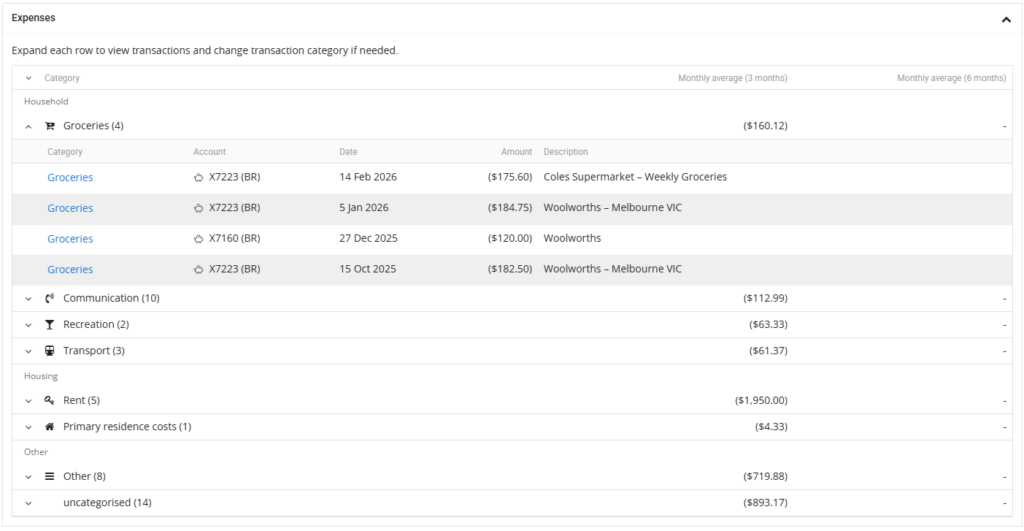
Other Income and Expenses are grouped into categories to make them easier to review.
Each category displays the monthly average calculated over:
- The last 3 months of transactions from the common period end date, and
- The last 6 months, where more than three months of data is available.
Select a category to expand it and view the underlying transactions.
If an expense transaction appears in the wrong category or is uncategorised, you can update it.
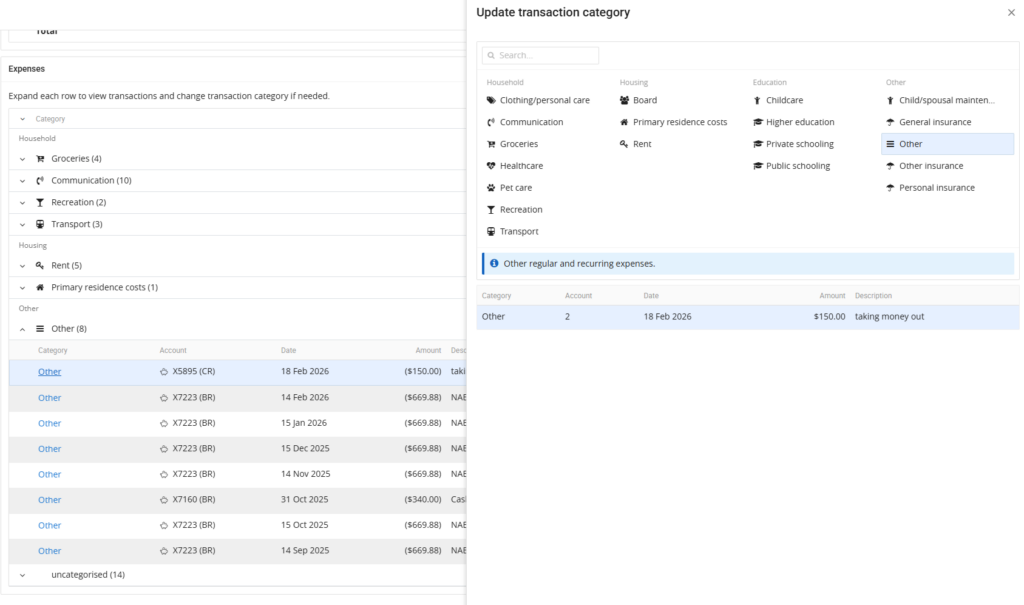
Category updates currently apply only within the Open Banking Consolidated Data view.
You can still copy data manually into your CRM or ApplyOnline for assessment and loan preparation.
Exported documents — such as Insights PDFs and spreadsheets — will continue to show the original transaction categorisation.
For the most accurate view of Open Banking Consolidated Data, it’s recommended that you update applicants’ Open Banking data before reviewing or adjusting expense categories.
This helps align the summary periods across applicants and ensures you’re working with the most up-to-date transaction data.
The Open Banking Consolidated Data feature reduces the time spent manually filtering and removing duplicate transactions when verifying monthly living expenses for multi-applicant opportunities. It’s another tool in our mission to Make Lending Easy.
To find out more about the Open Banking Consolidate Data feature, please contact our Customer Success team or register for our free CPD-accredited webinars.

XS
SM
MD
LG
XL
XXL.