








Enhance Trust and SMSF structuring with streamlined entity linking

Did you know you can now structure Trust and SMSF applications more efficiently within ApplyOnline®?
ApplyOnline provides a streamlined way to capture relationships between applicants, Trusts, companies, and Self-Managed Super Funds (SMSFs) by logically connecting related entities throughout the application. You can structure complex scenarios more accurately while reducing the need to navigate between multiple entities manually.
A simplified approach to Trust capture
To improve consistency in application structure, Trusts are now linked directly to Person and Company applicants through a new field: “Is acting on behalf of a trust?”
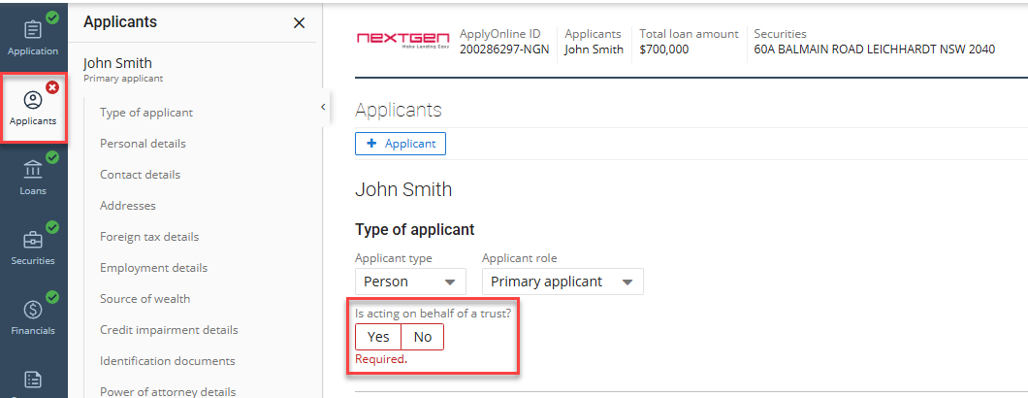
When “Yes” is selected, a Trust section will become available automatically, allowing you to:
- Select an existing Trust already created within the application.
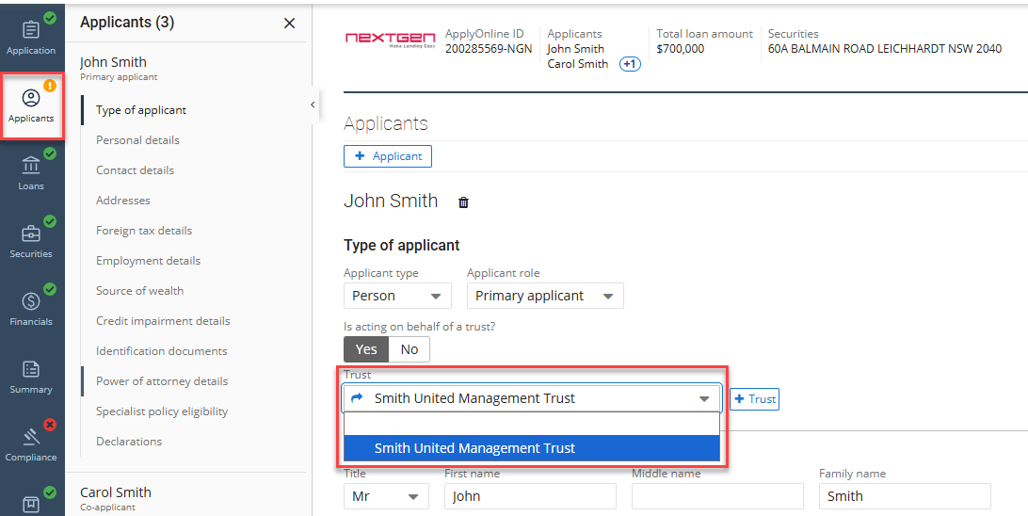
- Or create a new Trust directly from the applicant screen using the “+Trust” button.
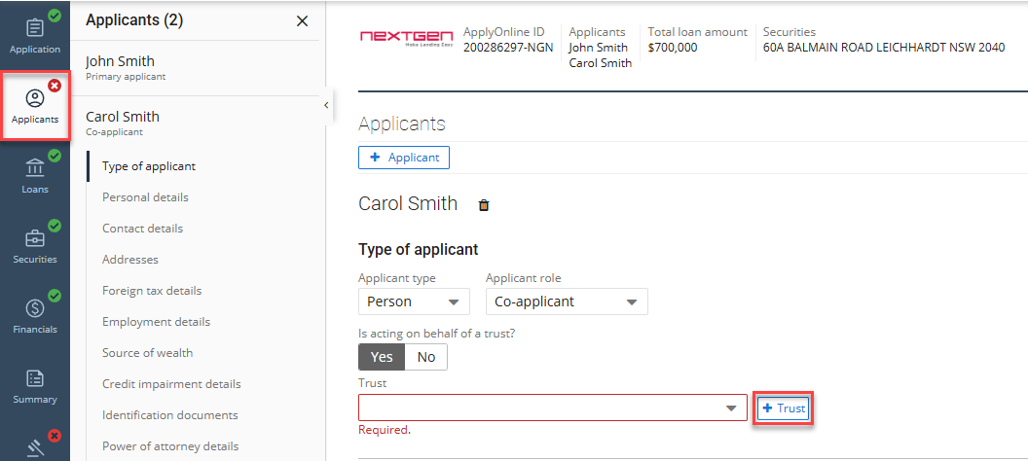
Note: A “Link” icon is also made available, enabling direct navigation to the full Trust details page.
Seamless integration for SMSF structures
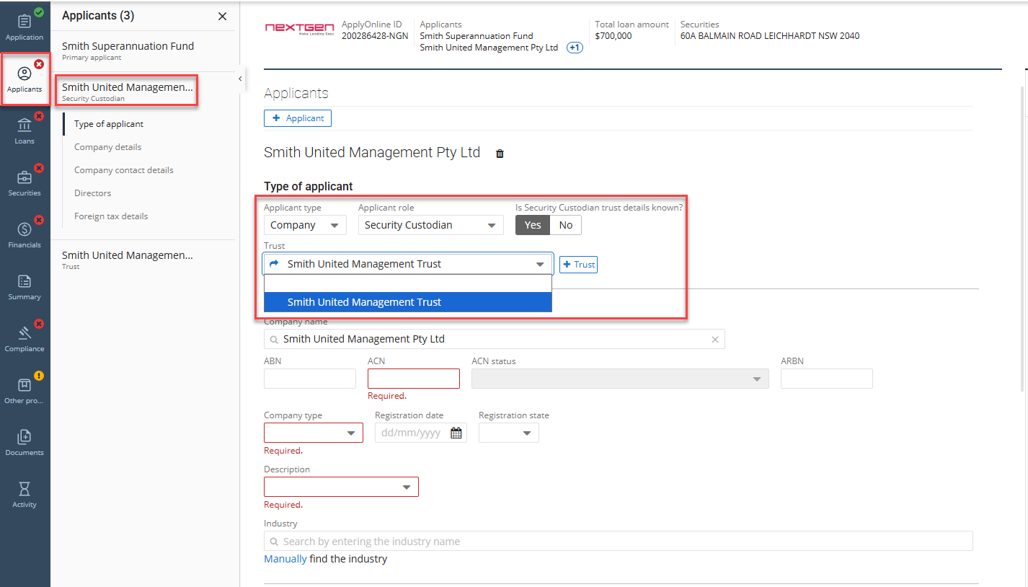
For SMSF loans, the same streamlined logic applies. The Trust section is made available within the “Security Custodian” applicant role when “Security Custodian trust details known” is selected as “Yes”, ensuring consistent trust linkage across SMSF structures.
Direct relationship mapping for company applicants
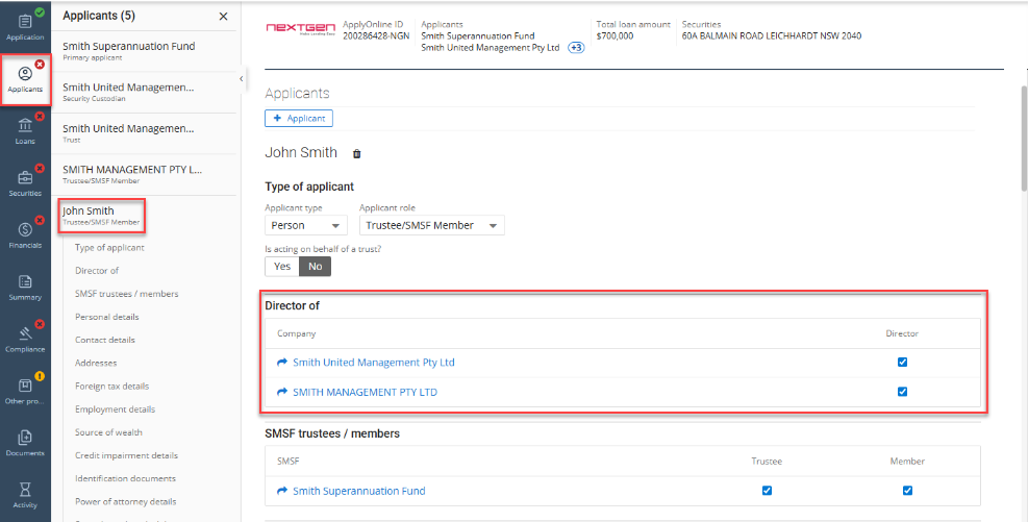
Where a Company applicant type exists within the application, a new “Director of” table is displayed within the Person applicant/s screen.
This allows you to directly assign a Person as a director of an existing Company without leaving the applicant workflow.
Faster SMSF trustee and/or member assignment
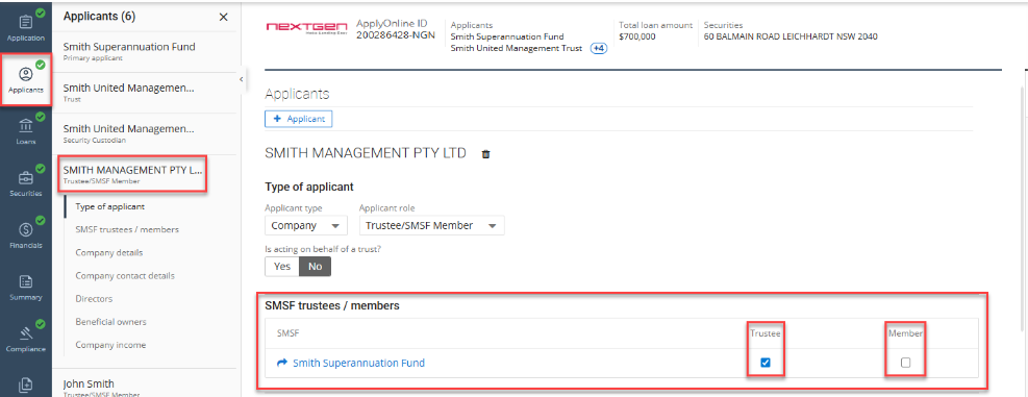
A new “SMSF trustees/members” table is available within both Person and Company applicant types.
This allows you to quickly assign applicants as SMSF trustees and/or members directly from their records, helping maintain clear relationships between individuals, companies, and SMSF entities.
By embedding these relationships directly within the applicant workflow, ApplyOnline reduces manual effort and improves data accuracy. This results in faster lodgement of complex applications, reduction in structural errors, and a more efficient experience for brokers, loan writers, and support teams.
To find out more about ApplyOnline, please contact our Customer Success team or register for our free CPD-accredited webinars.
Latest articles

ApplyOnline tip
More ways for applicants to verify: introducing email delivery for NextGenID

Article
Celebrating our partnership with Skip, live on ApplyOnline

Roundtable
Melbourne’s leading brokers on navigating change and building to last

Podcast
The trust dividend: how Open Banking is really delivering for brokers
XS
SM
MD
LG
XL
XXL.