








How to apply a pricing discount in ApplyOnline
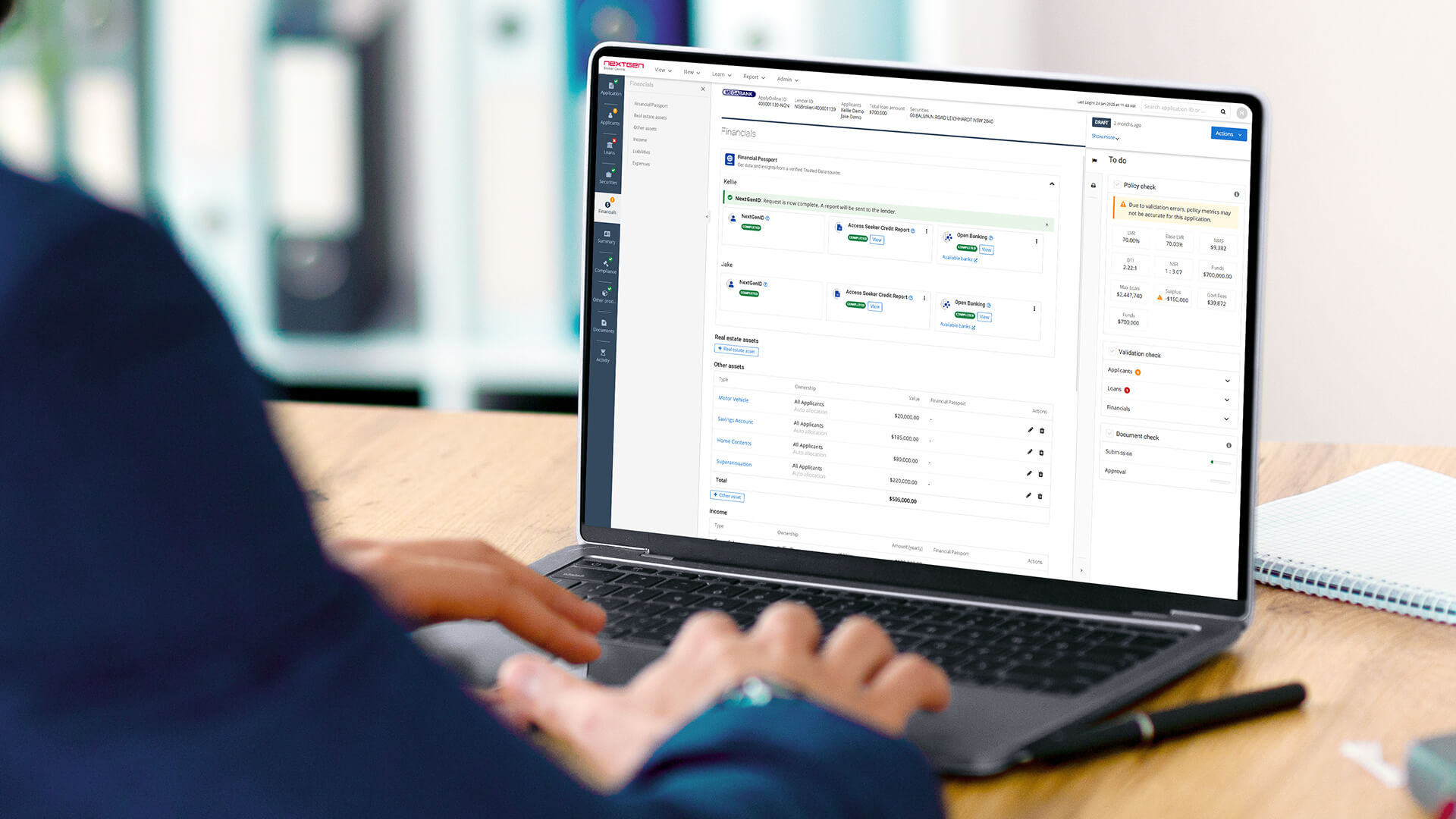
Did you know you can apply a pricing discount within ApplyOnline®?
Some lenders allow you to obtain a pricing discount via the pricing tool in ApplyOnline. Once you have the ‘pricing approval code’, you can enter it into ApplyOnline prior to submission and the discount will apply as approved by the lender. The discount is factored into serviceability, giving you an accurate view of the loan’s servicing position.
When should I enter the pricing approval code?
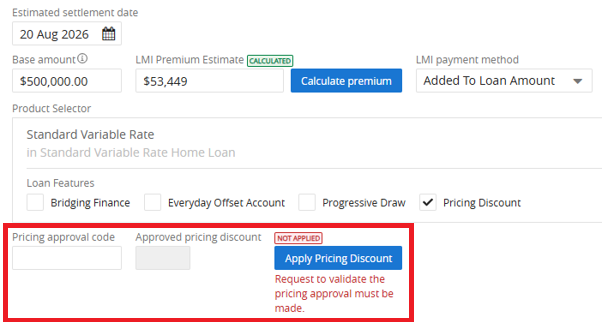
Once you have obtained the ‘pricing approval code’ from participating lenders, this code needs to be entered in the pricing section. The pricing section is located within a loan split of the Loan tab in an ApplyOnline application.
What are the benefits of using the pricing discount?
- Capture the pricing approval code within a loan split to instantly verify ‘approved pricing discount’
- Supporting you in setting an expectation with your applicants around the pricing discount conditions agreed by the lender
- Higher accuracy and reduction in reworks due to discrepancies between the agreed pricing discount scenario and the application details
- Empower the brokers and loan writers with an effective end-to-end pricing request process
- Increase efficiencies with smart, intuitive integration
- Improve straight-through processing and a faster Time to Yes
How do I enter and apply a pricing discount?
First, you will need to obtain a ‘pricing approval code’ from the participating lender(s). Once you have the pricing approval code that is approved by the lender, head to the pricing section, which is located in a loan split of the Loan tab. Enter the pricing approval code into the ‘pricing approval code’ field and click on the ‘apply pricing discount’ button.
Once the ‘pricing approval code’ is entered and validated, it will populate the associated ‘approved pricing discount’ and a green ‘APPLIED’ badge will appear automatically.
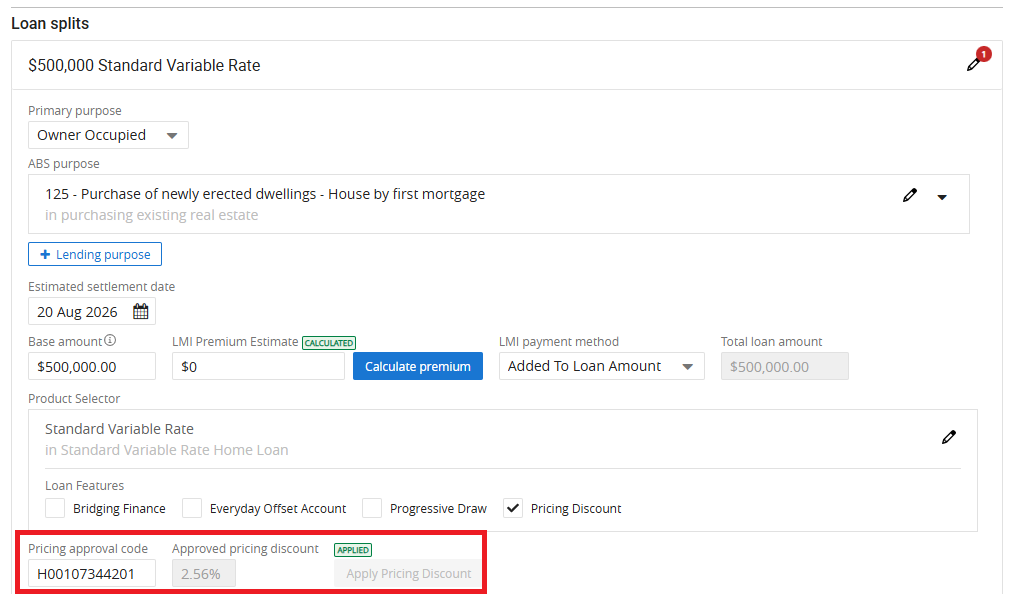
Important note: In-progress pricing requests will not be accepted. You must obtain pricing approval. This means that the lender has accepted the pricing request prior to you entering the pricing approval code in ApplyOnline.
How do I know if the pricing discount was not successful?
If the loan split details do not align with the pricing approval details, an error message will appear, and a red ‘NOT APPLIED’ badge will be shown. You can hover over the ‘NOT APPLIED’ icon to view an informational message explaining the reasons why the ‘pricing approval code’ could not be applied.
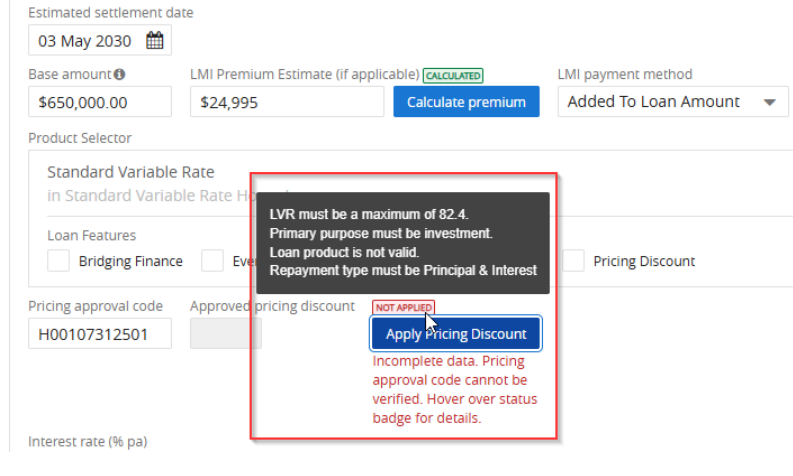
After the guidance has been followed to rectify the error(s), the system will show a ‘please re-apply’ badge in orange to guide you on re-applying the pricing discount.
Some of the triggers for this re-application message are when the system detects the following changes:
- The pricing approval code has been updated
- The pricing approval code format is invalid
- The approved pricing discount has expired
- The primary purpose of the loan has been modified
- The repayment type has changed
- The Loan-to-Value Ratio (LVR) is no longer within the allowable threshold (e.g., it exceeds the maximum LVR limit)
- The base amount has changed and falls outside the allowable range (e.g., it is lower than the minimum loan amount)
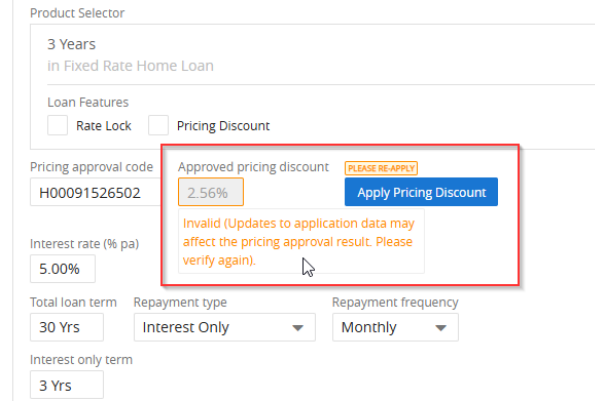
By following the prompts and the guidance from the system, you can ensure the pricing discount will successfully apply, and the discount will remain valid and accurate.
To find out more about ApplyOnline, please contact our Customer Success team or register for our free CPD-accredited webinars.
Latest articles

ApplyOnline tip
More ways for applicants to verify: introducing email delivery for NextGenID

Article
Celebrating our partnership with Skip, live on ApplyOnline

Roundtable
Melbourne’s leading brokers on navigating change and building to last

Podcast
The trust dividend: how Open Banking is really delivering for brokers
XS
SM
MD
LG
XL
XXL.