








More ways for applicants to verify: introducing email delivery for NextGenID
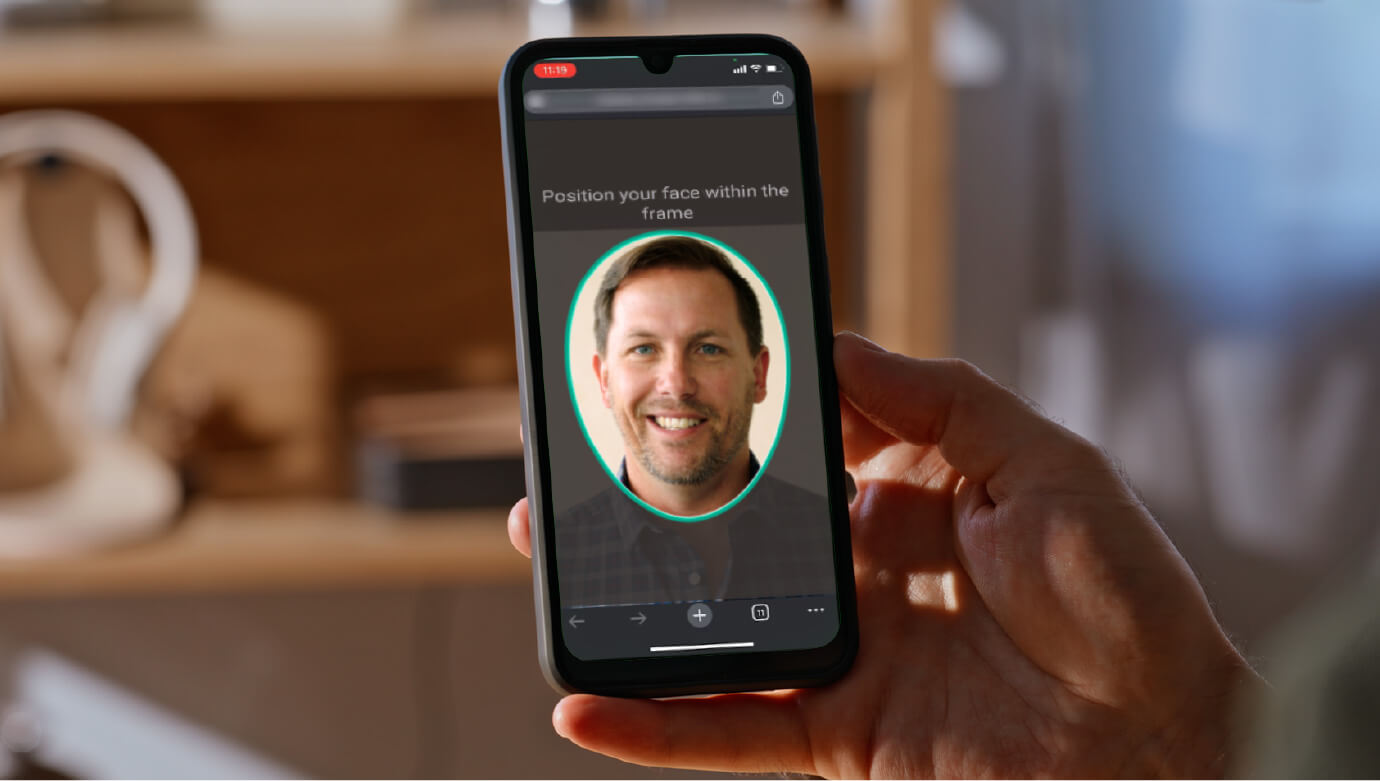
Did you know applicants can now receive their NextGenID® verification link by email, as well as SMS?
NextGenID requests were previously sent by SMS only. Now, where a lender has email delivery enabled, you can choose SMS or email for each applicant on your NextGenID request, giving you more flexibility to match how your applicant prefers to be contacted, or to work around a lender’s policy on SMS-based identity links.
Where do I find it?
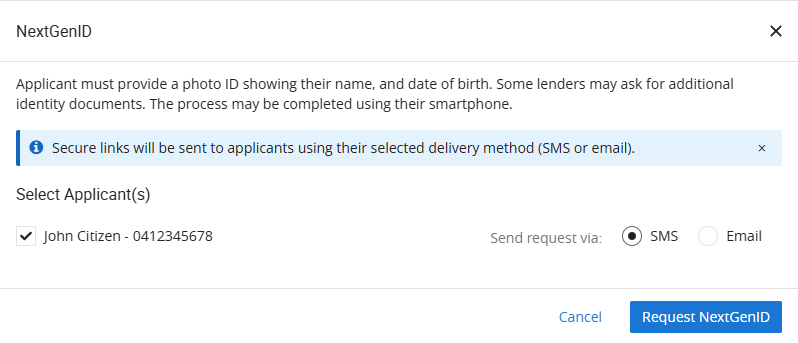
NextGenID is initiated from the Applicants tab, just before the identity section, by selecting ‘Get Started’ on the NextGenID card. This takes you to the ‘Select Applicant(s)’ step.
Set the delivery method per applicant
On the ‘Select Applicant(s)’ step, use ‘Send request via’ to choose ‘SMS’ or ‘Email’ for each applicant. Where there’s more than one applicant, each can use a different method, so you’re not locked into one option for the whole request.
Review before you send
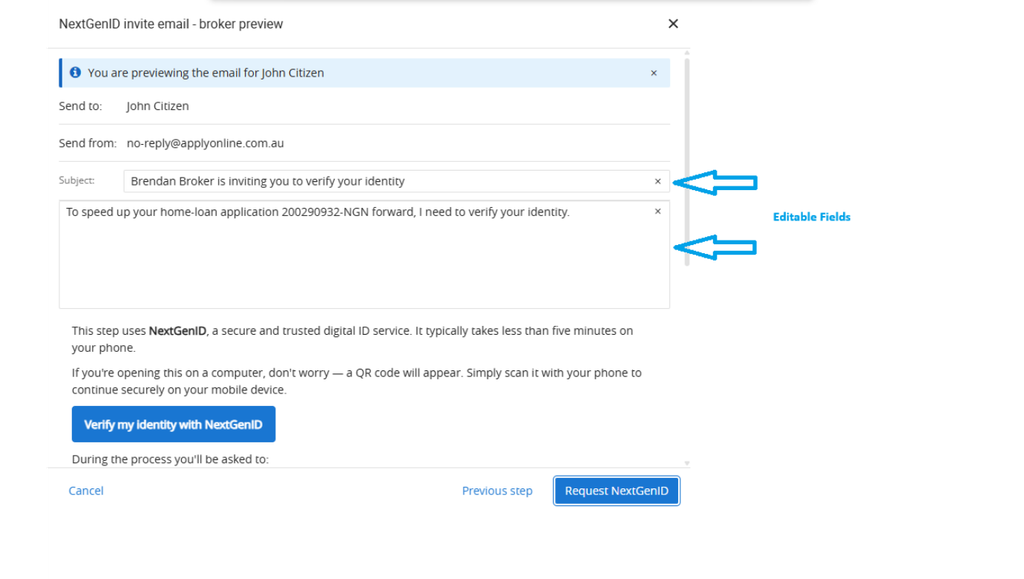
Selecting ‘Email’ opens an email preview screen before the request is sent. You can edit the email subject, introductory message and your broker signature; everything else is system-generated, so the applicant always receives consistent, trusted content. Once you’re happy with the preview, select ‘Request NextGenID’ to send. A copy of the email is also sent to you as the originator.
Desktop-friendly, mobile-ready
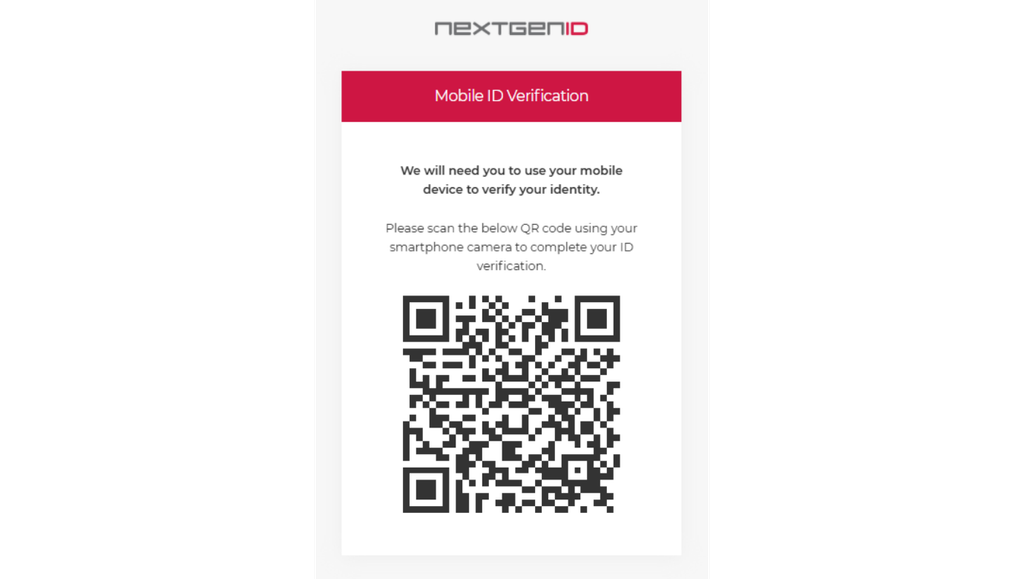
If your applicant opens the email on a desktop or laptop, a QR code will display automatically so they can scan and continue the verification on their phone.
What do I need to do?
No action is required for existing SMS-only requests; these continue to work as before. To send a request by email, the applicant’s full name, mobile number and email address must already be entered in ApplyOnline. If any of these are missing, a validation message will appear on the ‘Select Applicant(s)’ step.
Reminder emails are sent at 72 and 96 hours if an applicant hasn’t started, and the link expires after 5 days.
Note: email delivery is being rolled out progressively, so it may not be available for every lender yet.
To find out more about ApplyOnline, please contact our Customer Success team or register for our free CPD-accredited webinars.
Latest articles

XS
SM
MD
LG
XL
XXL.